

Key Takeaways
Our Verdict
Neither web apps nor installed software is universally superior — the right choice depends on how you work, what device you use, and how important offline access or performance is for a given task. Web apps win on accessibility and low friction; installed software wins on raw capability and reliability without an internet connection.
| Best for | Recommended |
|---|---|
| Users who switch between multiple devices or operating systems | Web-based apps |
| Those who need full functionality without internet access | Installed software |
| Casual or occasional users who want zero setup | Web-based apps |
| Power users running resource-intensive workflows | Installed software |
What Sets These Two Apart
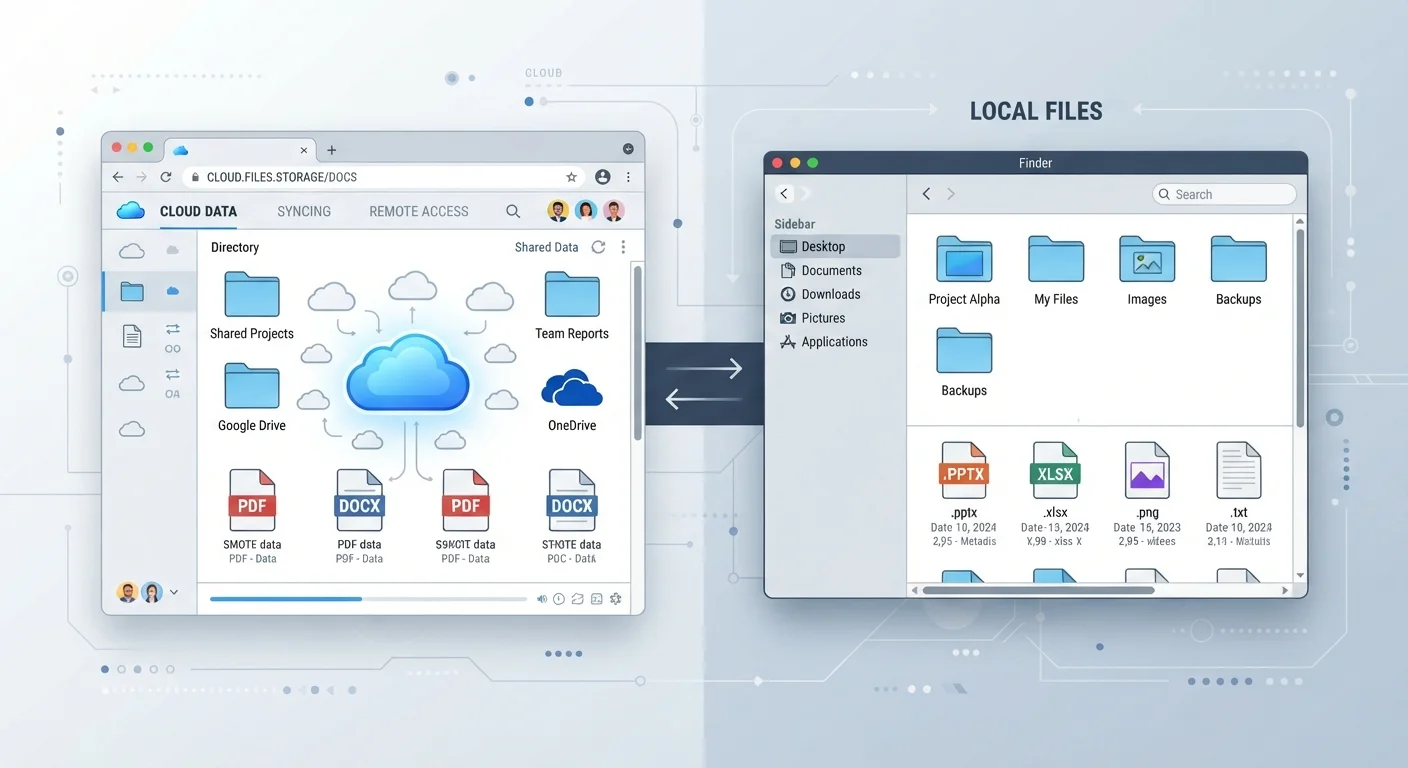
When you open a tool in your browser — Google Docs, Canva, or your bank's dashboard — you're using a web-based app. The software runs on a remote server and your browser acts as the window into it. Nothing is installed on your computer beyond the browser itself.
Installed software, by contrast, lives on your device. Microsoft Word, Adobe Photoshop, and VLC Media Player are classic examples. You download and install them once, and they run using your computer's own processing power and storage.
This fundamental difference shapes nearly everything else: how you access the tool, how it performs, what happens when your internet goes out, and what happens to your data. If you're newer to thinking through these trade-offs, the practical introduction to digital tools is a useful starting point.
| Web-Based Apps | Installed Software | |
|---|---|---|
| Setup required | None — open in browser | Download and install required |
| Works offline | Limited or no | Yes, fully |
| Device portability | Any device with a browser | Tied to installed device(s) |
| Performance on heavy tasks | Moderate | Higher ceiling |
| Updates | Automatic, server-side | Manual or prompted download |
| Data location | Provider's servers | Your local device |
| Collaboration features | Usually built in | Varies; often add-on |
Where Web Apps Have the Edge
Web-based apps shine in situations where convenience and flexibility matter most:
- Cross-device access: Log in from any computer, tablet, or phone without reinstalling anything.
- Always up to date: Updates happen on the server side. You never need to download a new version.
- Lower storage demand: Because processing happens in the cloud, your local device isn't burdened.
- Easy collaboration: Real-time editing and sharing are baked in for most modern web tools.
For everyday tasks — drafting documents, managing a to-do list, or tracking a budget — web apps often handle everything you need. If you're weighing whether to use a browser-based budgeting tool specifically, see our comparison of spreadsheet vs. budgeting app options.
Try the Browser Version First
If a tool offers both a web and desktop version, starting with the browser version costs you nothing and requires no commitment. You can always switch to the installed version later if you find performance lacking or need offline access. This approach is especially sensible for tools you'll use infrequently.
Where Installed Software Holds Ground
Installed software still has clear advantages that web apps can't fully replicate:
- Offline reliability: It works without an internet connection, which matters for travel, remote areas, or unreliable networks.
- Performance ceiling: Video editing, 3D rendering, audio production, and large dataset analysis still run faster and more smoothly as local applications.
- Storage access: Installed programs can read and write directly to your hard drive, which matters for workflows involving large local file libraries.
- Fewer browser dependencies: No tab crashes, no browser compatibility quirks, no competing extensions slowing things down.
Speaking of browser quirks — if you use extensions heavily, it's worth understanding the privacy trade-offs browser extensions carry, since they can interact unexpectedly with web apps.
Security and Privacy: A Practical View
Both formats carry security considerations, but they're different in nature.
With web apps, your data typically lives on the provider's servers. That means you're trusting their security practices, their data retention policies, and their handling of breaches. Always check whether a service encrypts data in transit and at rest, and review what the privacy policy actually says about sharing or selling data.
With installed software, data stays on your device by default — which limits exposure to third-party servers but puts the security burden on you. An unpatched local application can be just as vulnerable as a poorly secured web service, especially if it's no longer receiving updates from its developer.
Watch for Abandoned Software
Installed software that no longer receives security updates from its developer is a real risk. Unlike web apps — where the provider patches the server — locally installed programs require you to stay on top of updates. If a program you rely on has been discontinued, consider whether a maintained alternative exists before continuing to use it.
The practical upshot: neither is inherently safer. Evaluate both based on the sensitivity of the data involved and the reputation of the provider.
How to Choose for Your Situation
A few questions help narrow it down quickly:
- Do you use more than one device? If yes, a web app often reduces friction significantly.
- Do you need it to work offline? If yes, installed software or an app with offline sync is more reliable.
- How demanding is the task? Light tasks (writing, forms, spreadsheets) work fine in a browser. Heavy tasks (video, large files, audio) generally favor installed software.
- How often will you use it? For occasional use, the zero-install web app wins. For daily power use, a dedicated installed app often pays off.
Many tools now offer both options — a web version and a downloadable client — so you may not need to commit to one exclusively. Related to this, it's worth thinking through what you actually get with free vs. paid app tiers, since the version type and pricing tier often go hand in hand. If you're also choosing between device types, see how tablets and laptops compare for different use cases.
77%
Workers using cloud-based tools regularly
According to Gartner research, a large majority of knowledge workers rely on cloud and browser-based applications as part of their standard workflow.
3–5×
Performance gap for local video rendering
Industry benchmarks consistently show locally installed video editing software renders large files significantly faster than browser-based equivalents.