

Key Takeaways
Option A
Free App Versions
The no-cost entry point with built-in trade-offs.
Best for: Casual or occasional users who need basic functionality without a financial commitment.
Option B
Paid App Versions
The full-featured experience at a recurring or one-time cost.
Best for: Regular users who rely on an app daily and need unrestricted access to its core capabilities.
If you use the app occasionally or just want to try it out
Free App Versions
Occasional use rarely justifies a subscription cost, and most free tiers cover light needs adequately.
If the app is central to your daily workflow or productivity
Paid App Versions
Removing usage caps, ads, and feature locks pays dividends when you depend on the tool consistently.
If you're privacy-conscious and want to limit data sharing
Paid App Versions
Free tiers often monetize through behavioral data; paid tiers typically have less incentive to do so.
If you're managing a tight budget and the free tier covers your core needs
Free App Versions
A free tier that genuinely meets your needs is always the more financially sound starting point.
How Free Apps Actually Make Money
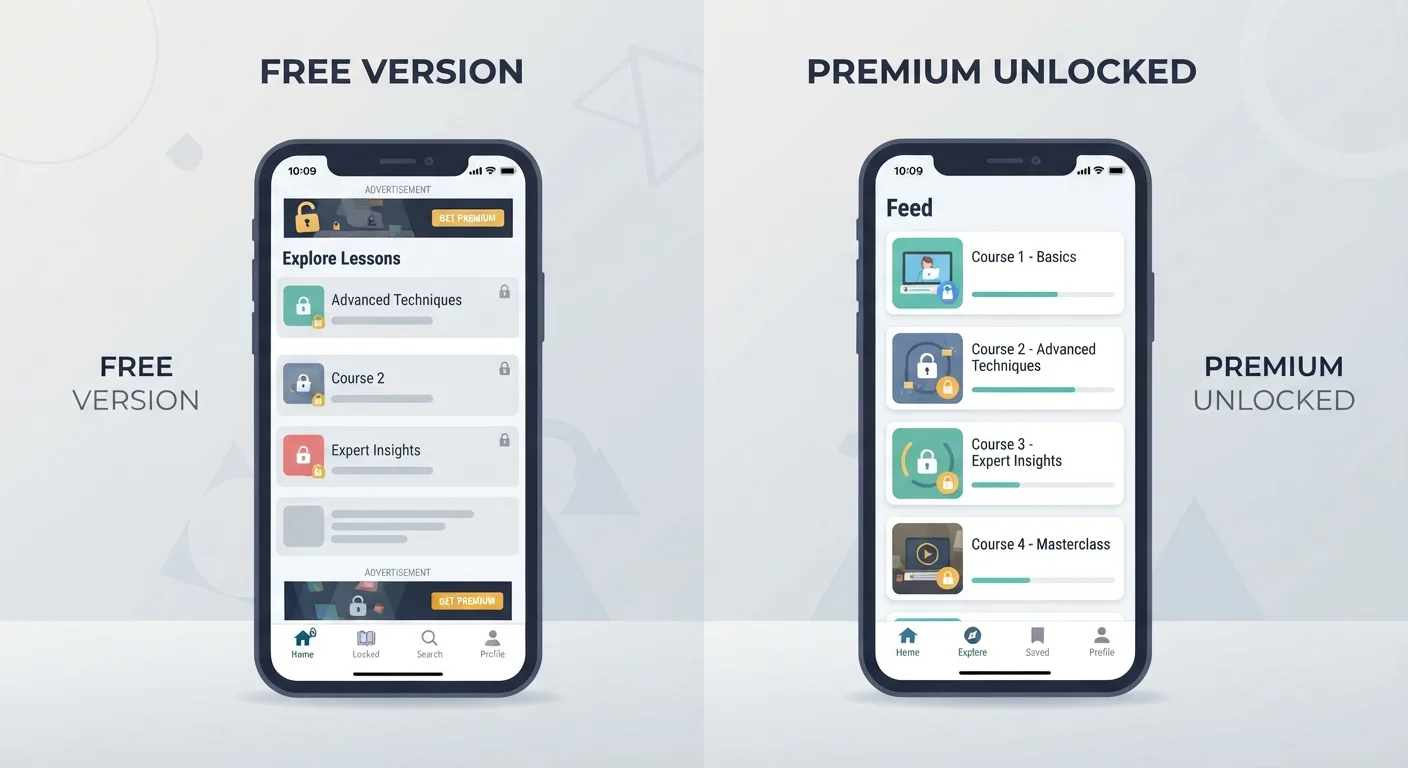
When an app is free to download, someone is still paying for its development, servers, and support — and that someone is often you, in non-monetary ways. The three most common revenue mechanisms in free app tiers are advertising, data monetization, and feature gating.
Ad-supported apps display banners, interstitials, or video ads during use. These slow down your experience and can be genuinely disruptive in productivity tools. Data monetization is less visible: the app collects usage patterns, preferences, or location data that may be aggregated and sold to third-party advertisers. Feature gating — sometimes called the freemium model — gives you a working but deliberately limited experience designed to make you want more.
Understanding this isn't cynical; it's practical. Knowing how the free tier sustains itself helps you decide whether the trade-offs align with your priorities. If ads are tolerable and you use the app rarely, free may be entirely sufficient. If you're entering sensitive information or using the app for hours each week, the calculus shifts.
| Criterion | Free App Versions | Paid App Versions |
|---|---|---|
| Cost | No upfront charge | One-time or recurring fee |
| Advertising | Typically present | Usually removed |
| Feature access | Core or limited features only | Full or expanded feature set |
| Storage / usage limits | Often capped | Higher or unlimited |
| Data privacy | May involve behavioral data use | Generally less reliant on data monetization |
| Customer support | Community or limited support | Priority or direct support common |
| Best suited for | Occasional, light users | Regular, intensive users |
What Paid Tiers Typically Unlock
Paid versions — whether a one-time purchase or a recurring subscription — generally deliver in a few predictable ways. The most common benefits include ad removal, expanded storage or usage limits, access to advanced features, and priority customer support.
For productivity apps, paid tiers often unlock collaboration features, version history, or integrations with other tools. For creative apps, they remove export restrictions or watermarks. For utility apps — password managers, VPNs, note-taking tools — the free tier may cap the number of devices you can sync or the amount of data you can store.
97%
Share of App Store revenue from free apps
According to data from Statista, the vast majority of app downloads are free, with developers relying on in-app purchases and subscriptions to monetize.
5–10%
Typical freemium conversion rate
Industry analysts generally estimate that between 2% and 10% of free-tier users convert to paid plans, which shapes how aggressively feature gates are designed.
One important distinction: not every paid feature is genuinely useful to every user. As we explore in our breakdown of price versus quality, a higher price doesn't automatically mean a better fit for your situation. Before upgrading, list the specific features you'd actually use — not the ones that sound impressive in a marketing comparison table.
It's also worth understanding how subscription auto-renewals work before entering payment information, especially for free trials that convert to paid plans.
Making the Call: When to Upgrade and When to Stay Free
The decision to pay for an app tier comes down to three honest questions: How often do I use this? Is a specific locked feature blocking something I need? And does the cost make sense relative to what I get?
If you open an app two or three times a month, a monthly subscription rarely makes financial sense. If a feature restriction is forcing you to use workarounds — exporting files one at a time, hitting storage limits, or sitting through unskippable ads during time-sensitive tasks — that's a legitimate signal to consider upgrading.
Also consider the app's update and security posture. Keeping software current matters more than many people realize, and some paid tiers offer faster access to security patches or dedicated support channels that can matter if you store sensitive data in the app.
Free Trials Are Not the Same as Free Tiers
A free trial gives you full or near-full paid access for a limited time — typically 7 to 30 days — before automatically converting to a paid subscription. A free tier is a permanent, restricted version with no expiration. Confusing the two is a common source of unexpected charges. Always confirm which you're signing up for before providing payment details.
Finally, if you're weighing app costs as part of a broader effort to manage your digital spending, tools that help with saving and reducing unnecessary expenses can help you audit subscriptions you may have forgotten about or no longer use.