

Key Takeaways
Our Verdict
Wired devices deliver superior reliability and are well-suited for critical safety applications, but demand significant installation effort. Wireless devices win on flexibility and accessibility, making them the practical starting point for most households — provided the underlying network is solid.
| Best for | Recommended |
|---|---|
| Security-critical applications like alarms and door locks | Wired |
| Renters or those who want low-effort installation | Wireless |
| New construction or major home renovation | Wired |
| Expanding an existing smart home gradually | Wireless |
What 'Reliability' Actually Means in a Smart Home Context
When smart home devices fail — lights that don't respond, a thermostat that misses a schedule, a camera that goes offline — the cause is almost always the communication layer rather than the device itself. Reliability, in this context, means how consistently a device receives commands and sends data back to your hub or app.
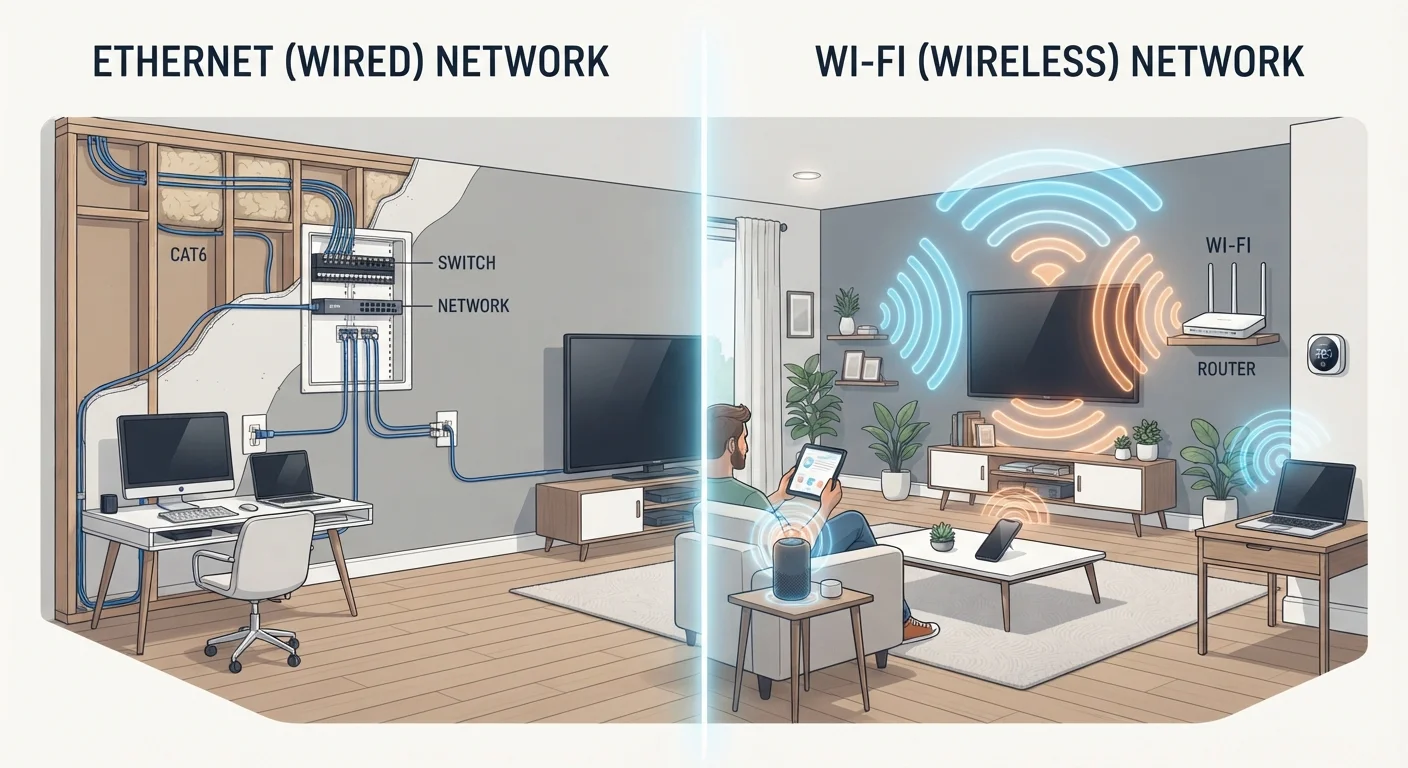
Wired devices communicate over physical cables — typically Ethernet, dedicated low-voltage wiring, or proprietary bus systems — that are unaffected by radio interference, neighbor networks, or household appliances. Wireless devices depend on radio signals: Wi-Fi, Zigbee, Z-Wave, Thread, or Bluetooth. Each of those protocols has real-world limitations that wired connections simply don't share.
Understanding this distinction helps set realistic expectations before you invest in either approach. For a broader look at whether smart home technology is right for your household at all, see our balanced overview.
How Wired and Wireless Smart Devices Compare
The table below covers the key dimensions that matter most to everyday users making a practical decision.
| Wired | Wireless | |
|---|---|---|
| Connection stability | Very high — unaffected by radio interference | Moderate to high — depends on protocol and network |
| Installation effort | High — typically requires professional wiring | Low — most users can self-install |
| Flexibility to relocate | Low — fixed by cable runs | High — reposition without tools |
| Suitability for renters | Poor — structural changes usually not permitted | Good — removable without damage |
| Upfront cost | Higher — labour and materials | Lower — device cost only in most cases |
| Device ecosystem breadth | Narrower — security, HVAC, AV focus | Very broad — covers nearly every category |
| Affected by internet outages | Depends on hub — local control often retained | Often yes — cloud-dependent devices go offline |
One nuance worth noting: not all wireless protocols are equal. Wi-Fi devices compete for bandwidth with every other connected device on your network. Zigbee and Z-Wave, by contrast, operate on separate radio frequencies and form their own mesh networks, meaning each device can relay signals to others. This makes them meaningfully more reliable than basic Wi-Fi smart plugs or bulbs — though they still can't match a physical cable for raw consistency.
For households struggling with wireless coverage gaps, understanding mesh Wi-Fi vs. traditional routers is a useful next step.
Where Each Approach Has a Clear Edge
When Wired Makes Sense
Wired infrastructure pays off most where a device failure carries real consequences. Hardwired security systems, smoke detectors with smart integrations, and professionally installed door access systems don't drop off the network during a Wi-Fi hiccup. For households building new or undertaking significant renovation, running low-voltage wiring during construction costs far less than retrofitting later.
Wired setups also scale more predictably. Adding the thirtieth device to a Zigbee mesh has diminishing friction; adding the thirtieth device to an overloaded Wi-Fi router does not.
Plan Cable Routes During Any Renovation
If you're already opening walls for another project, adding low-voltage conduit costs relatively little and gives you future flexibility for wired devices. Ethernet, speaker wire, and security cabling are all far cheaper to install before drywall goes up than after. Even if you don't use it immediately, the infrastructure holds its value.
When Wireless Makes Sense
Wireless dominates for renters, for rooms where running cable is impractical, and for users who want to experiment before committing. Smart bulbs, plugs, and sensors can be repositioned or removed without tools. The installation barrier is low enough that most people handle it without outside help.
Wireless also benefits from a far larger device ecosystem. Nearly every smart home product category has wireless options; truly wired smart devices are concentrated in security, HVAC, and AV control systems. Before purchasing any wireless device, the pre-purchase checklist covers compatibility and long-term software support — two areas where wireless products have historically varied most.
Security and Privacy Considerations
Wired devices reduce — but don't eliminate — network attack surface. A device connected via Ethernet still runs software that may have vulnerabilities; it's simply harder to intercept the signal in transit. Wireless devices, particularly those communicating over Wi-Fi, introduce more exposure points: weak passwords, unencrypted local traffic, or outdated firmware can all create risk.
Good network hygiene matters regardless of which approach you choose. Isolating smart home devices on a dedicated network segment or VLAN (virtual local area network) — a technique your router may support — limits what a compromised device can reach. For practical steps that apply to any connected home, these security habits cover the essentials without requiring advanced technical knowledge.
Don't Rely on Wireless for Life-Safety Devices
Smoke detectors, carbon monoxide alarms, and monitored security systems are subject to local building codes that often require hardwired configurations. Even where wireless versions are permitted, a dropped Wi-Fi connection at the wrong moment is an unacceptable failure mode for these applications. Always verify local code requirements and consult a licensed installer for any life-safety system.
Energy-related claims are a separate matter. Marketing often suggests that smart devices meaningfully reduce electricity bills, but the reality is more nuanced. Separating smart home energy myths from evidence can help calibrate expectations before purchase.